
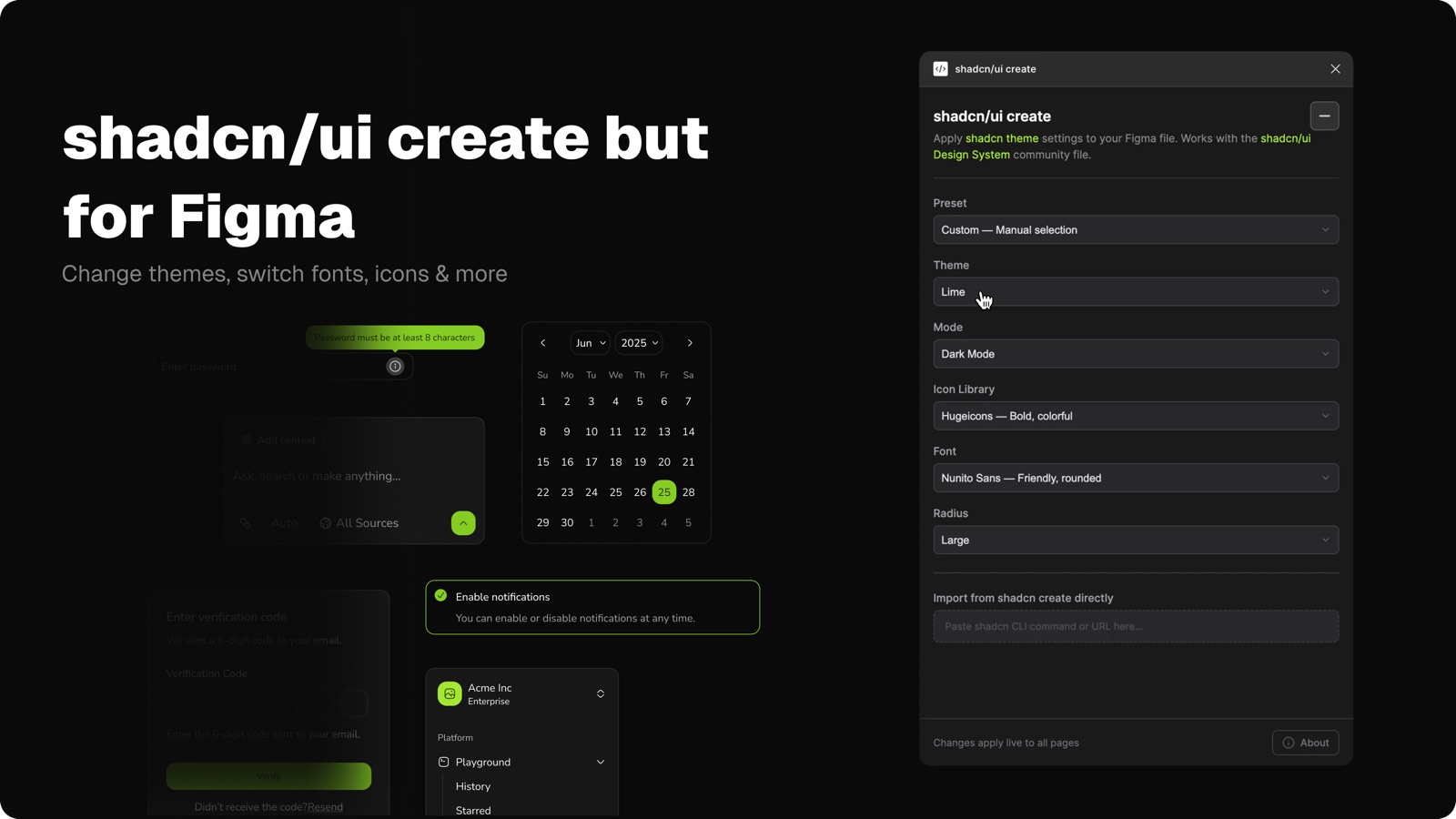
The idea to create this plugin came when shadcn introduced shadcn/create. Seeing how easy it made it to customize and scale a setup really stuck with me. Everything felt flexible, but still grounded in a solid system.
I thought: what if this existed for the shadcn/ui Figma library that I created as well?
I wanted a simple way to switch themes, icons, and fonts without hacks, overrides, or that constant feeling of “what might break if I change this.” Building a plugin specifically for the library felt like the most honest way to do that: something that works with the system instead of around it, and makes iteration feel calmer and more intentional.
This plugin is my attempt at bringing that experience into Figma. I hope it feels like a small but helpful companion to the library, something that gives you a bit more freedom, while keeping everything consistent and easy to trust.
What you can do with it
The plugin lets you make global changes to the library without touching variables manually.
- Switch light/dark themes
- Update themes across the entire file
- Change font scales globally
- Swap icon sets without breaking components
- Keep everything in sync with shadcn/ui
- Change component radiuses
No manual variable editing. No broken components.
Designed for one file, on purpose
This plugin only works with this shadcn/ui Figma component library (created by me).
That's intentional, and it can make changes safely and instantly, because the plugin understands:
- the variable structure
- naming conventions
- icon mapping between Lucide icons, Tabler icons and HugeIcons
How you use it
I've put together a guide on how to use the plugin with the library here.
How it works under the hood
How changes work
- The plugin updates the main Figma variables directly
- Those changes are reflected immediately in Figma's variables panel
- All components update automatically, exactly as intended
This means:
- No hidden styles
- No detached overrides
- Everything stays clean and predictable
Version history
Every change made by the plugin is:
- Captured in Figma's version history
- Saved as a normal file update
- Fully reversible at any time
You can always jump back to a previous version, compare changes, or undo experiments.
Important to know
Make sure you're using the latest version of the shadcn/ui Figma library so everything works as expected. That avoids any weird mismatches or things not updating.
Try the plugin
Give it a try and play around. And if you've any feedback or discover bugs, do let me know.